
What is Alibaba Cloud Model Studio? 🤔
Alibaba Cloud Model Studio is an all-in-one platform designed for the development of foundation models (FMs). Utilizing the powerful Qwen models, it provides a complete toolchain for creating, training, and deploying models seamlessly.
Key Features 🔑
- Intended Customers: Suitable for enterprises, developers, and technical support staff of independent software vendors (ISVs).
- Core Capabilities: Easily call applications, train and fine-tune FMs, and deploy them online.
- Service Form: Access via API operations to integrate and use dedicated FMs. (Coming Soon) 🛠️
- Application Orchestration: Create and manage applications based on your business needs, integrating FMs into your workflows. (Coming Soon) 🗂️
- Various Tools: Built-in plugins such as Python interpreter, Quark search, image generator, and calculator, with customization options. (Coming Soon) 🧩
Activating Alibaba Cloud Model Studio 🔧
Steps to Activate 🛠️
- Log In: Access the Alibaba Cloud Management Console with your Alibaba Cloud account.
- Activate Services:
- Enable Model Service and create an API key for model calls.
- Activation charges are based on the number of consumed tokens. Ensure Model Studio Large Model Inference services are activated.
Frequently Asked Questions (FAQs) ❓
1. Can a RAM user activate Alibaba Cloud Model Studio? 🛡️
Yes, attach the AliyunSFMFullAccess policy to the RAM user. For more information, see Authorize a RAM user to manage services in Model Studio.
2. How do I isolate business data across different lines? 🗂️
Grant permissions on different workspaces to various RAM users to ensure data isolation. Learn more about using workspaces.
3. What billing methods are supported? 💳
Both pay-as-you-go and subscription billing methods are available.
4. What if my account balance is below zero? 🏦
Ensure your Alibaba Cloud account balance is at least zero before activation. Add funds if necessary.
5. Will I receive notifications after activation? 📲
Yes, you will receive text messages confirming the activation of Model Studio services.
Obtaining an API Key 🔑
Creating an API Key 🗝️
- Log In: Access the Alibaba Cloud Model Studio console.
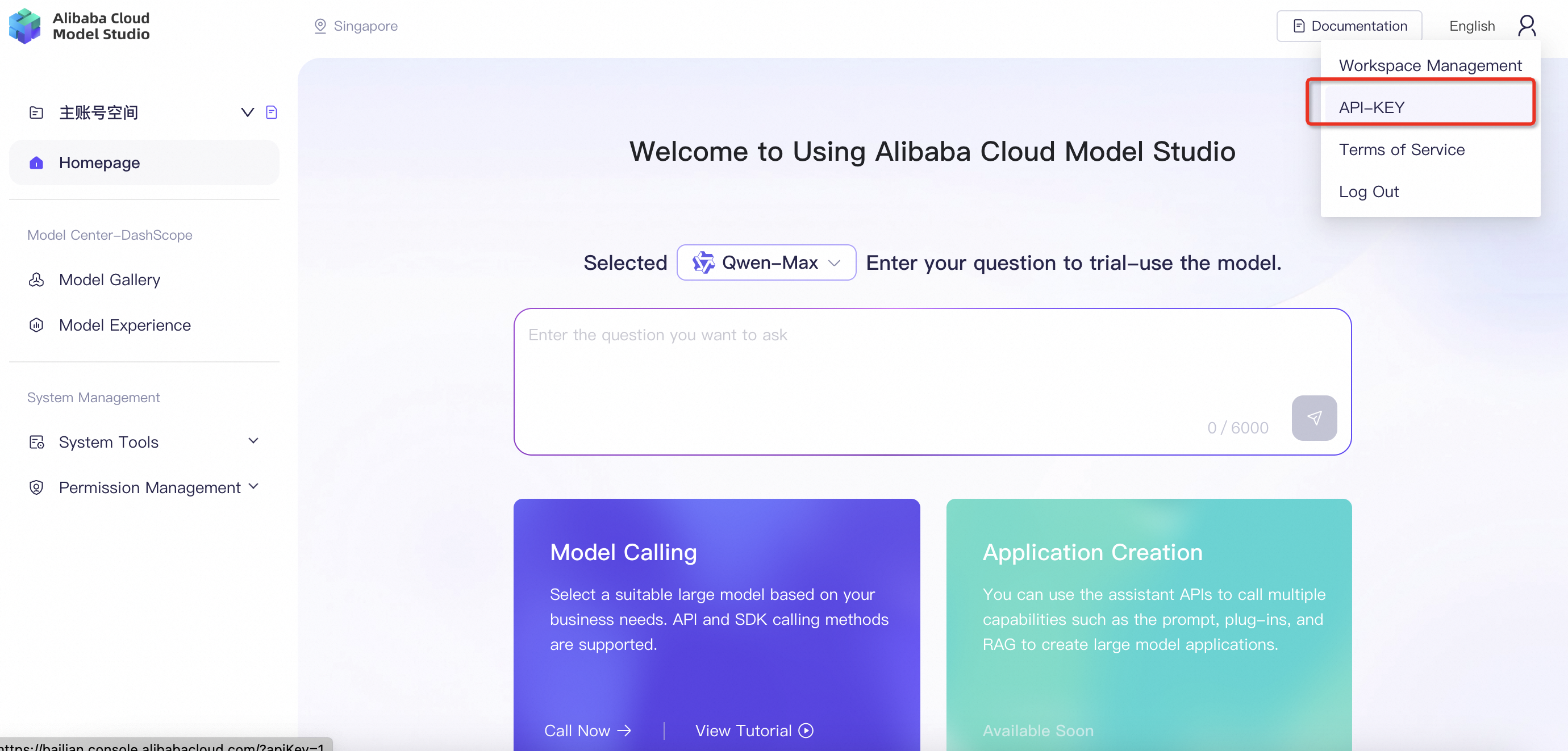
- Navigate: Go to the profile picture in the upper-right corner and select API Keys.
- Create Key: Click Create API Key. The key will be generated and displayed in ciphertext.
Viewing API Key Permissions 👁️🗨️
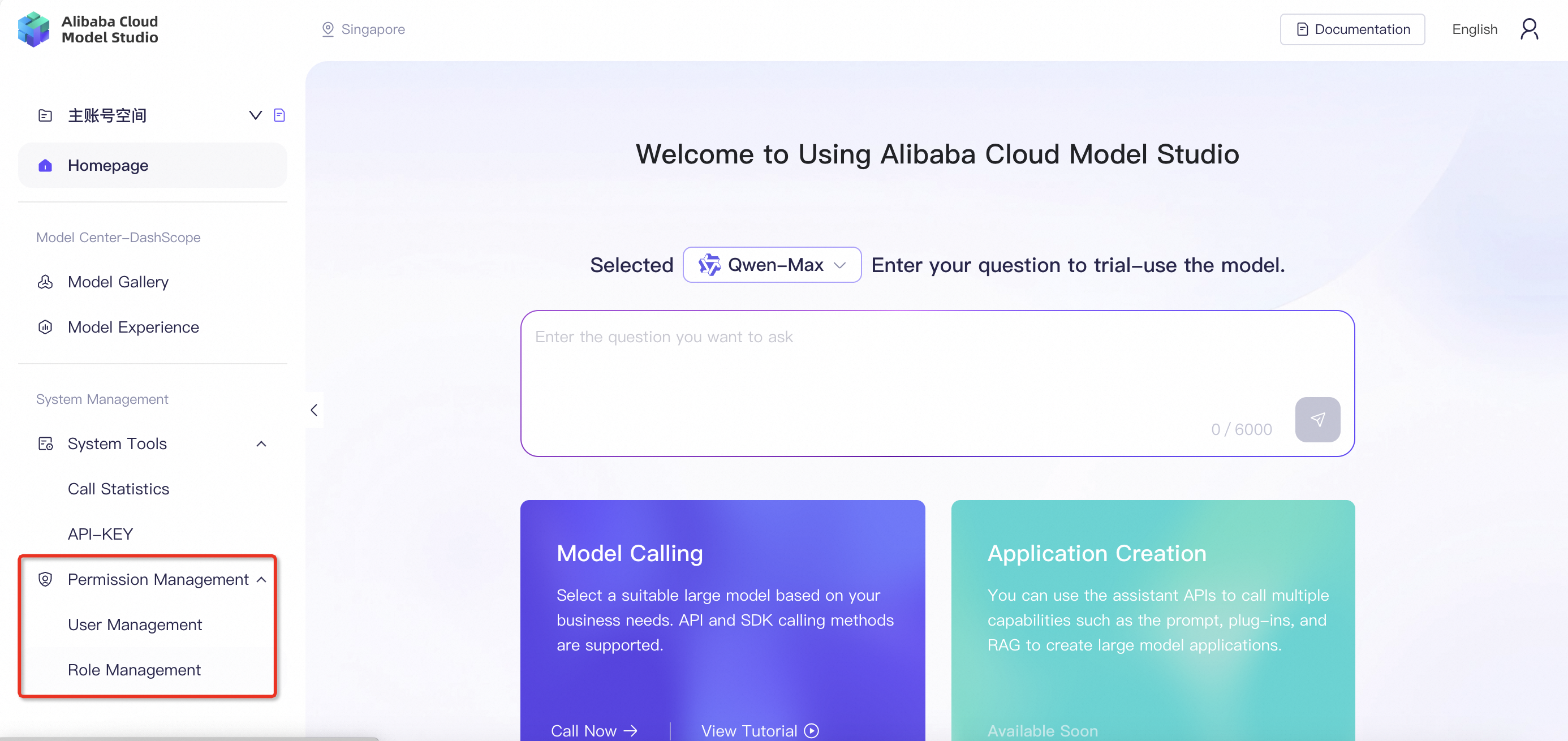
- Alibaba Cloud Account: Full access to all resources and models in all workspaces.
- RAM User: Access to authorized resources within the authorized workspaces.
Installing Alibaba Cloud Model Studio SDK 📦
Supported Languages 💻
Python 🐍
- Prerequisites: Python 3.8 or later.
- Installation:
pip install dashscope - Upgrade:
pip install dashscope --upgrade
Java ☕
- Prerequisites: Java 8 or later.
- Add Dependencies:
<dependency>
    <groupId>com.alibaba</groupId>
    <artifactId>dashscope-sdk-java</artifactId>
    <version>the-latest-version</version>
</dependency>
implementation group: 'com.alibaba', name: 'dashscope-sdk-java', version: 'the-latest-version'
Configuring an API Key as an Environment Variable 🔒
Linux 🐧
- Temporary Environment Variable:
export DASHSCOPE_API_KEY="YOUR_DASHSCOPE_API_KEY" echo $DASHSCOPE_API_KEY - Permanent Environment Variable:
echo "export DASHSCOPE_API_KEY='YOUR_DASHSCOPE_API_KEY'" >> ~/.bashrc
source ~/.bashrc
echo $DASHSCOPE_API_KEY
macOS 🍏
- Temporary Environment Variable:
export DASHSCOPE_API_KEY="YOUR_DASHSCOPE_API_KEY" echo $DASHSCOPE_API_KEY - Permanent Environment Variable:
echo "export DASHSCOPE_API_KEY='YOUR_DASHSCOPE_API_KEY'" >> ~/.zshrc
source ~/.zshrc
echo $DASHSCOPE_API_KEY
Windows 🪟
Command Prompt 💻
- Temporary Environment Variable:
set DASHSCOPE_API_KEY="YOUR_DASHSCOPE_API_KEY" echo %DASHSCOPE_API_KEY% - Permanent Environment Variable:
setx DASHSCOPE_API_KEY "YOUR_DASHSCOPE_API_KEY"
echo %DASHSCOPE_API_KEY%
PowerShell 💡
- Temporary Environment Variable:
$env:DASHSCOPE_API_KEY = "YOUR_DASHSCOPE_API_KEY" echo $env:DASHSCOPE_API_KEY - Permanent Environment Variable:
[Environment]::SetEnvironmentVariable("DASHSCOPE_API_KEY", "YOUR_DASHSCOPE_API_KEY", [EnvironmentVariableTarget]::User)
echo $env:DASHSCOPE_API_KEY
For further details, visit the Alibaba Cloud Model Studio homepage.
